
Whistle's AI coach started as a single button that spat out a workout. My cofounder Florian and I rebuilt it into a real conversation, one that reasons over an athlete's actual training data instead of giving generic advice, and gives people direct control over what it's allowed to see and do.
Role: I split this project with my cofounder Florian, working together across design and implementation.
Early versions and proof of concepts
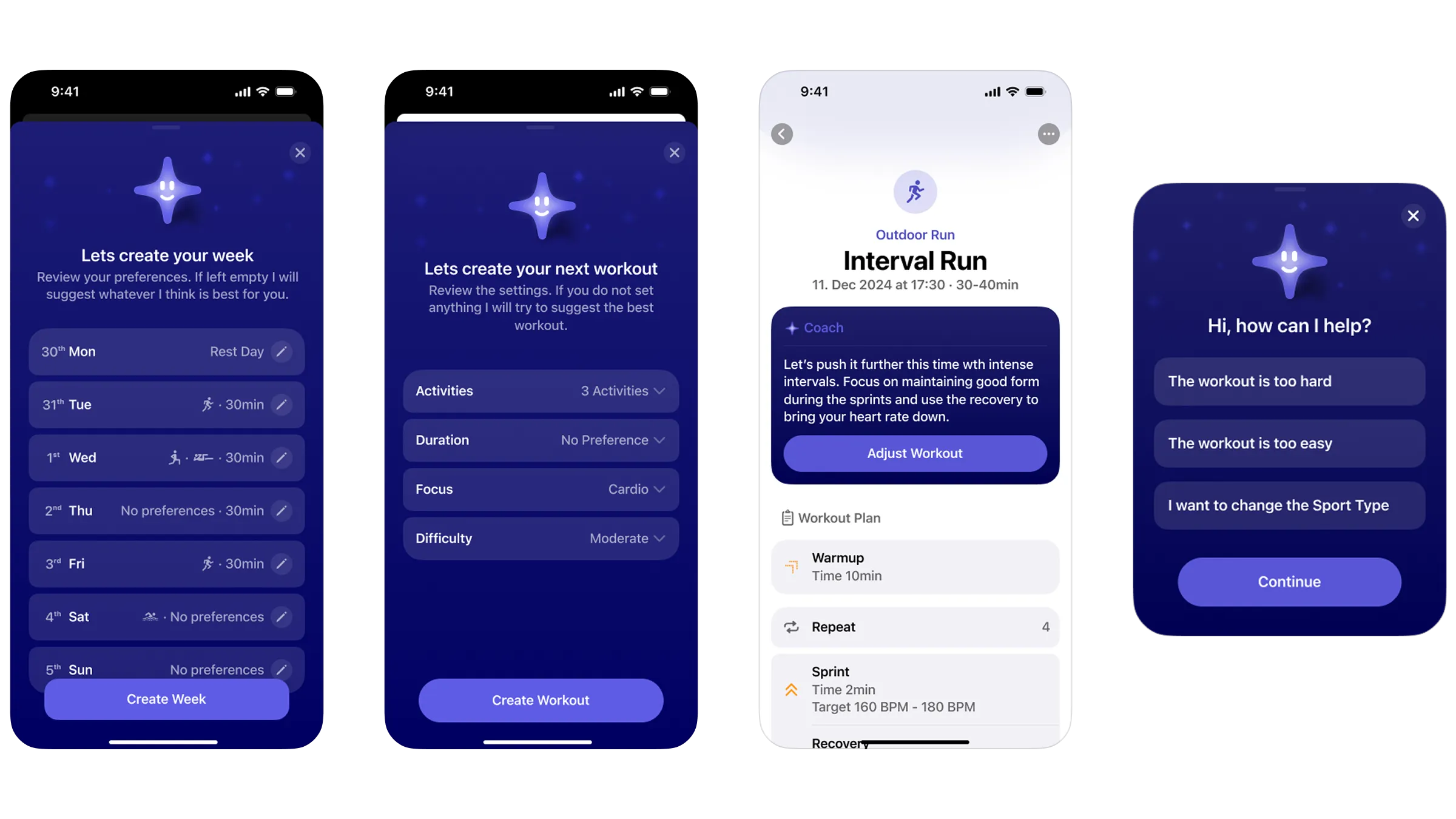
The first version of Whistle's AI coach was just a button. Press it, and the app generated a workout. There was no conversation, no way to say what you actually wanted, no memory of anything you'd said before. We built it that way on purpose. We didn't yet have the technical understanding to build the coach we actually imagined, and we wanted to validate the idea before investing in it.
As a first improvement, we added a small settings UI in front of the button, so you could pick a sport or a workout type before generating. It made the output more relevant, but the experience was still fundamentally rigid. You weren't talking to a coach, you were filling out a form that happened to produce a workout.
Rebuilding it as a real conversation
Underneath the UI, we were still learning how to build with LLMs.Everything lived in one large system prompt, and the coach was slow and inconsistent as a result. Every new capability we wanted to add made that one prompt bigger and harder to reason about, and the more we added, the less reliable the whole thing got.
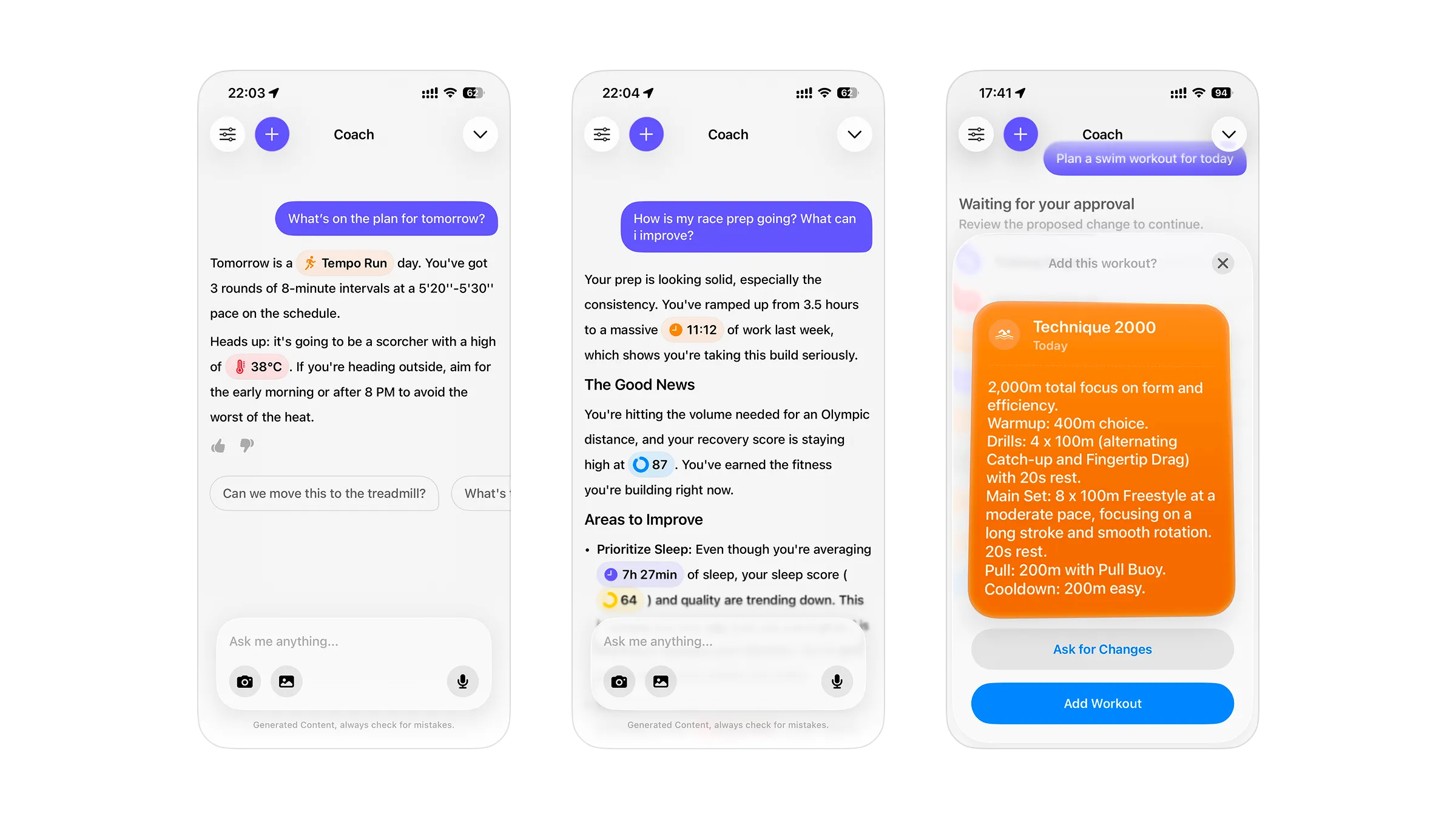
We kept iterating and eventually started prototyping a conversational version of the coach, one you could actually talk to rather than configure. Instead of one prompt trying to cover everything, we broke the coach's abilities into individual tools, things like reading recovery data, sleep, and training load, or creating and adjusting a workout. The coach picks whichever tools a conversation actually calls for, instead of carrying the full weight of every capability on every single turn.
Giving people control over their own data
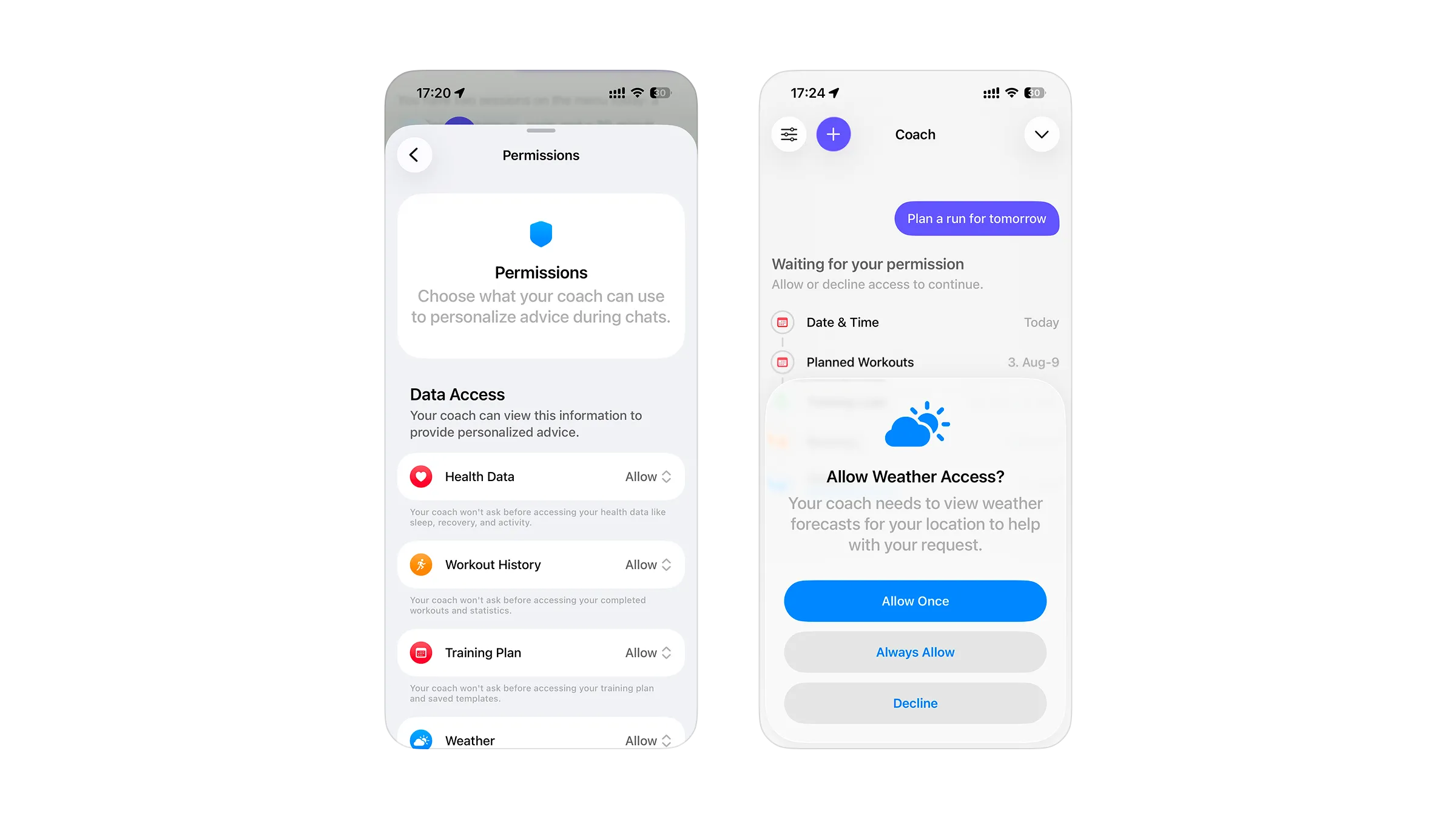
Using the coach means sharing training data with an AI provider. Early user interviews told us people had real concerns about that, separate from whatever they'd already agreed to for HealthKit access. So we built dedicated privacy controls for the coach itself. They're broken down by category: health data, workouts, weather, and so on. There are separate controls too for anything the coach can change, like creating, adjusting, or deleting a workout. Each one can be set to always allow, or to ask first every time.
"Ask first" is a real prompt in the moment, not a formality. If the coach wants to create or change something on your plan, you see exactly what it wants to do first. You can approve, deny, or revise it before anything happens. It puts the athlete in charge of what the coach can see and do, rather than one blanket permission covering everything.
Showing its work
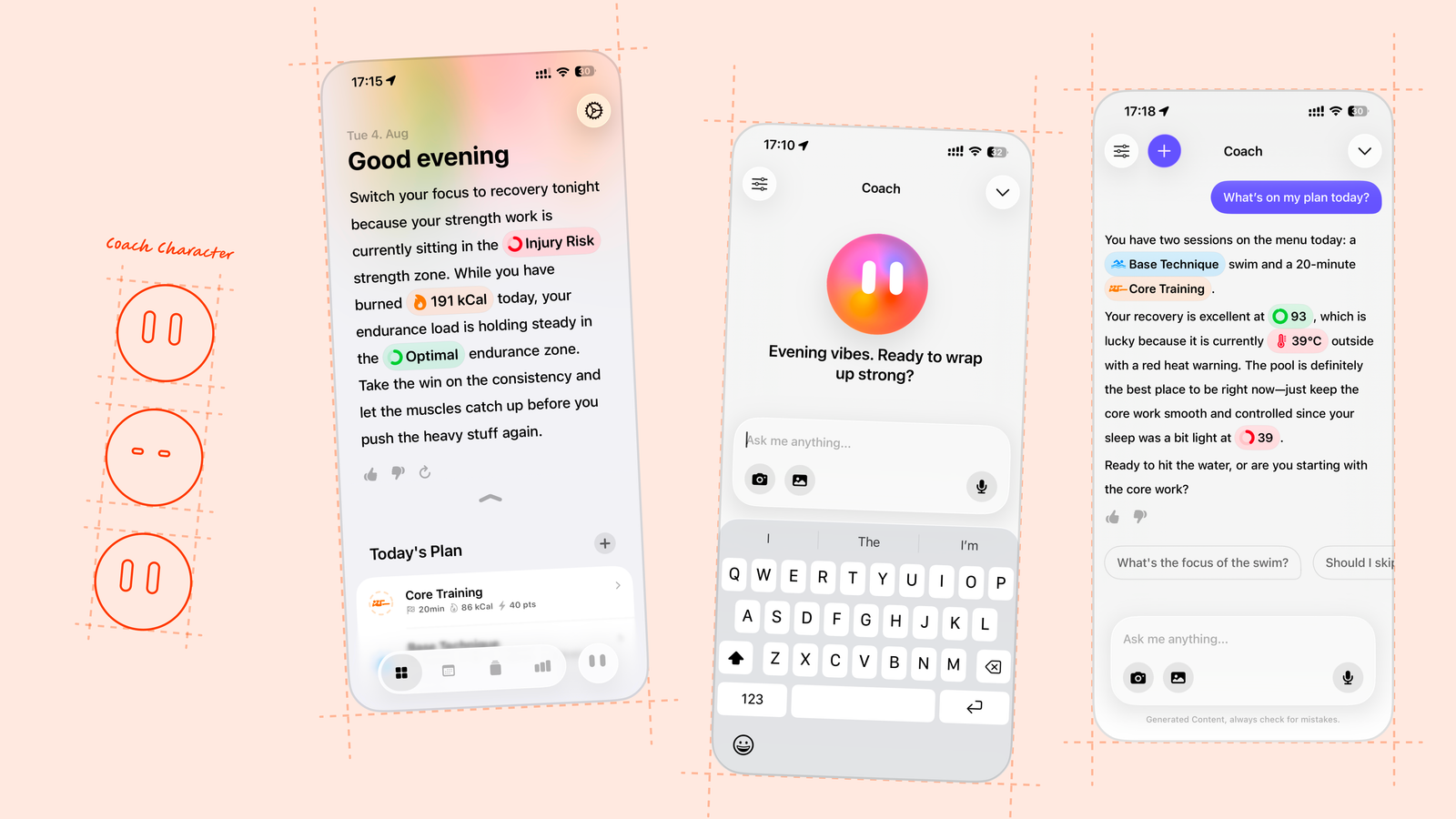
When the coach mentions specific scores or metrics, like a Recovery rating or last night's sleep, they show up inline as small reference chips rather than plain text. We added them mostly for visual polish, to make the chat feel less flat and more considered. But they also do something more useful: they show, right in the message, that the coach is referencing your real data rather than talking in generalities.
While the coach is working, the chat also shows a running list of the tools it's actively calling and their state, so a response doesn't just appear, you can see what it's doing to get there.
The response itself also reveals one line at a time with a subtle animated shader behind it, rather than all at once. Part of that is delight, a small way to make the coach feel a bit magical. But it's also intentional pacing: research on AI chat interfaces suggests people trust an answer less when it appears instantly, so giving the response a moment to arrive actually reads as more considered, not slower.
A face and a personality for the coach
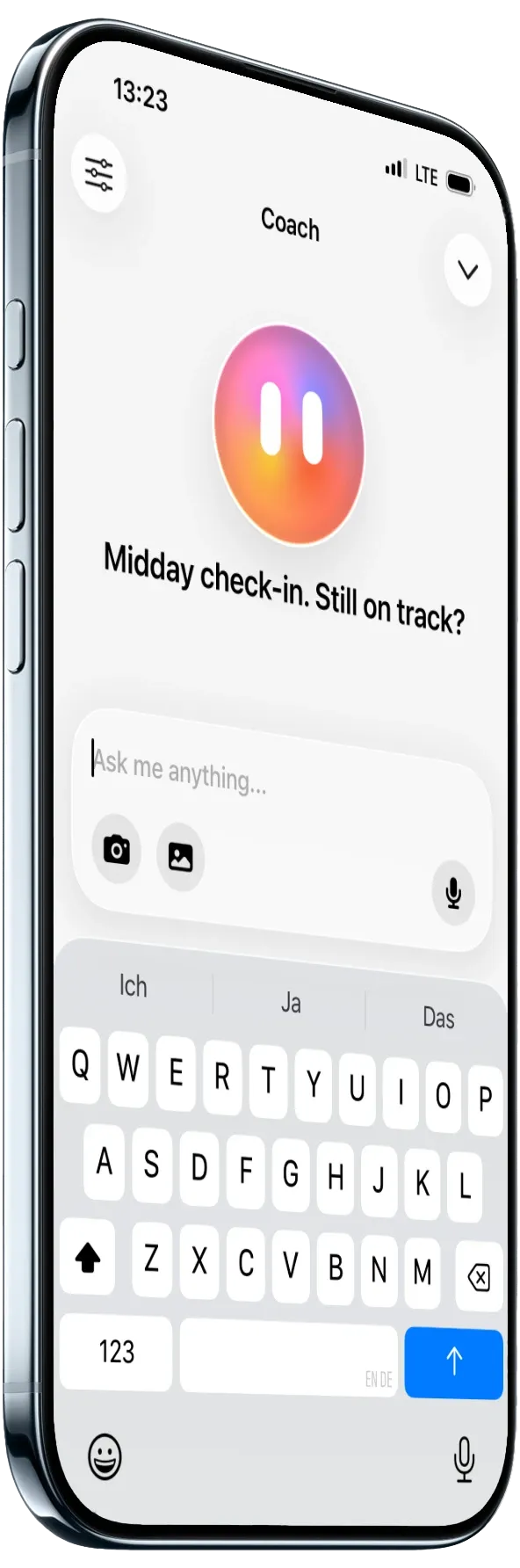
Early on, the coach didn't have a visual identity beyond a plain sparkle icon. Giving it an actual character, the orb you see in the app today, was a deliberate decision to make it feel more human.
In addition to the character, we also gave the coach an actual personality, plus an alternative, stricter one. The stricter version started as a joke, but it resonated strongly in user interviews. People in interviews started anthropomorphizing it, referring to it the way they would a real coach, not a feature.
Part of the app, not just its own chat
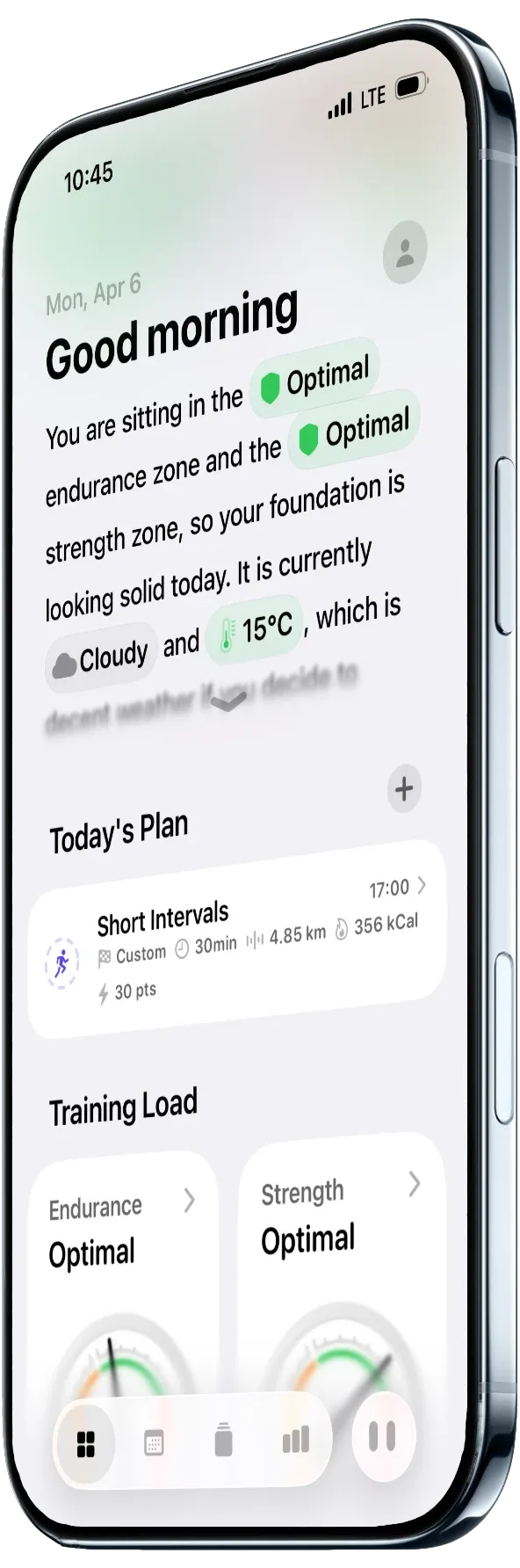
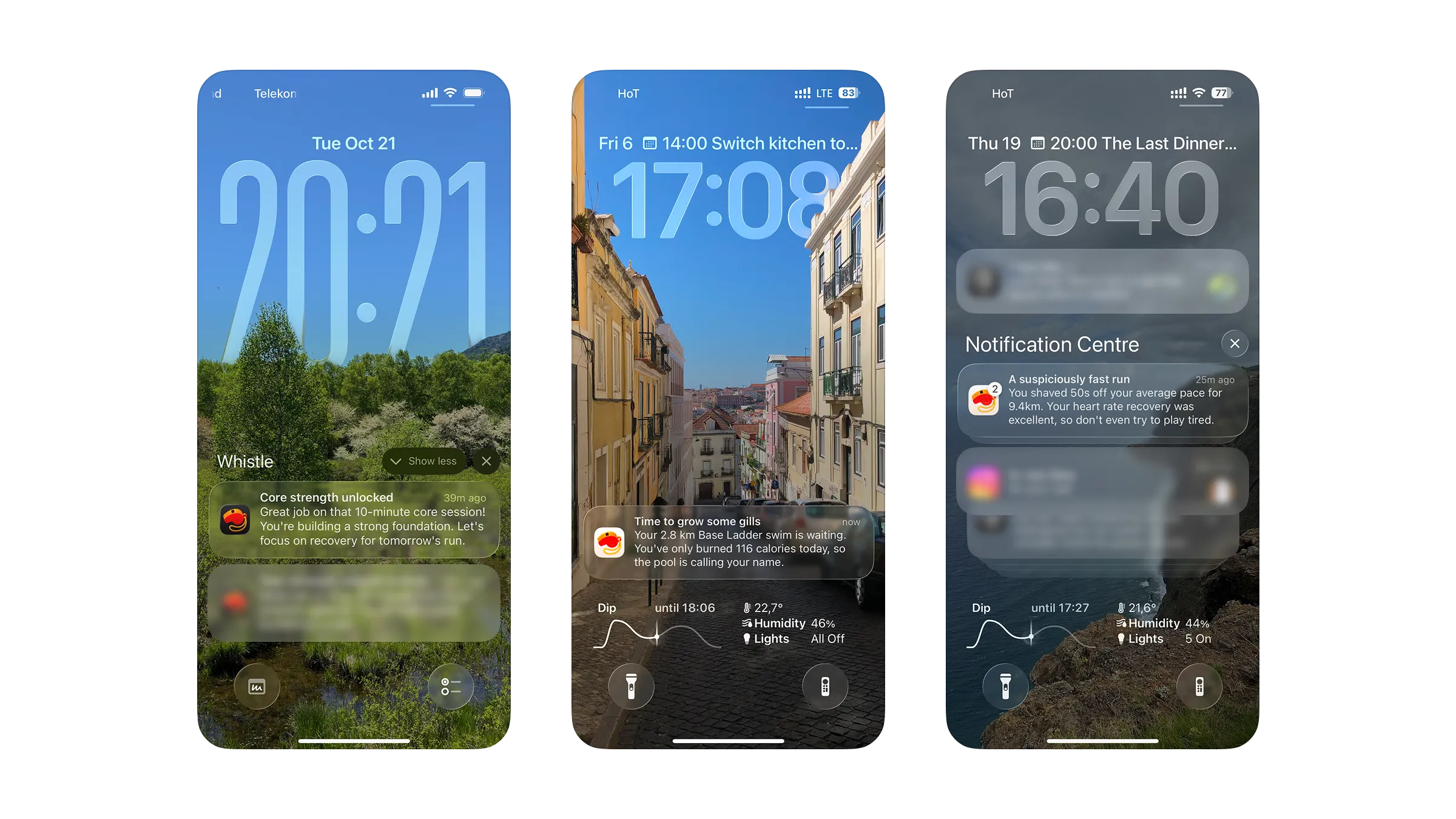
We also moved the coach directly onto the dashboard, so it's part of opening the app rather than something you have to go looking for. Beyond the app itself, the coach also reaches out through notifications, at the points in the day where a check-in actually makes sense. In the morning, it summarizes how your night went and calls out what's scheduled for the day. After a workout, it follows up on how it went. Later in the afternoon and evening, it checks back in on how the rest of your day is tracking.
What's next
The coach is shipped and in daily use today. We're still early in scaling Whistle, so it's too soon to share hard numbers, but feedback has been good. We're continuing to work on making the coach faster and more efficient, and plan to bring it deeper into the rest of the app's UI and into the iOS ecosystem beyond Whistle itself.
Try Whistle for yourself
Everything in this case study is live in the app today. Download Whistle and talk to the coach yourself.
Download for free